How to Maintain Digital Level: Expert Tips for Precision Accuracy
You rely on your digital level for precise measurements every time. But have you ever wondered how to keep it working accurately for years to come?
Maintaining your digital level is simpler than you think, and doing it right can save you from costly mistakes and frustrations on the job. In this guide, you’ll discover easy, practical steps to care for your digital level. Follow these tips, and you’ll always trust the readings you get—giving you confidence in every project.
Keep reading to learn how to protect your investment and get the most out of your digital level.
Credit: www.proaudiodesign.com
Choosing The Right Digital Level
Digital levels come in various types, each suited for different tasks. Common types include handheld digital levels, rotary laser levels, and digital inclinometers. Handheld models are portable and easy to use for small jobs. Rotary laser levels cover larger areas and offer 360-degree leveling. Digital inclinometers measure angles precisely for construction and engineering.
Key features to consider include accuracy, display readability, and battery life. Look for models with a clear digital screen that works well in bright light. Long battery life ensures the level works through long projects. Some levels offer auto-calibration for better accuracy. Durable construction protects from drops and weather. Lightweight designs reduce user fatigue during extended use.
Daily Calibration Practices
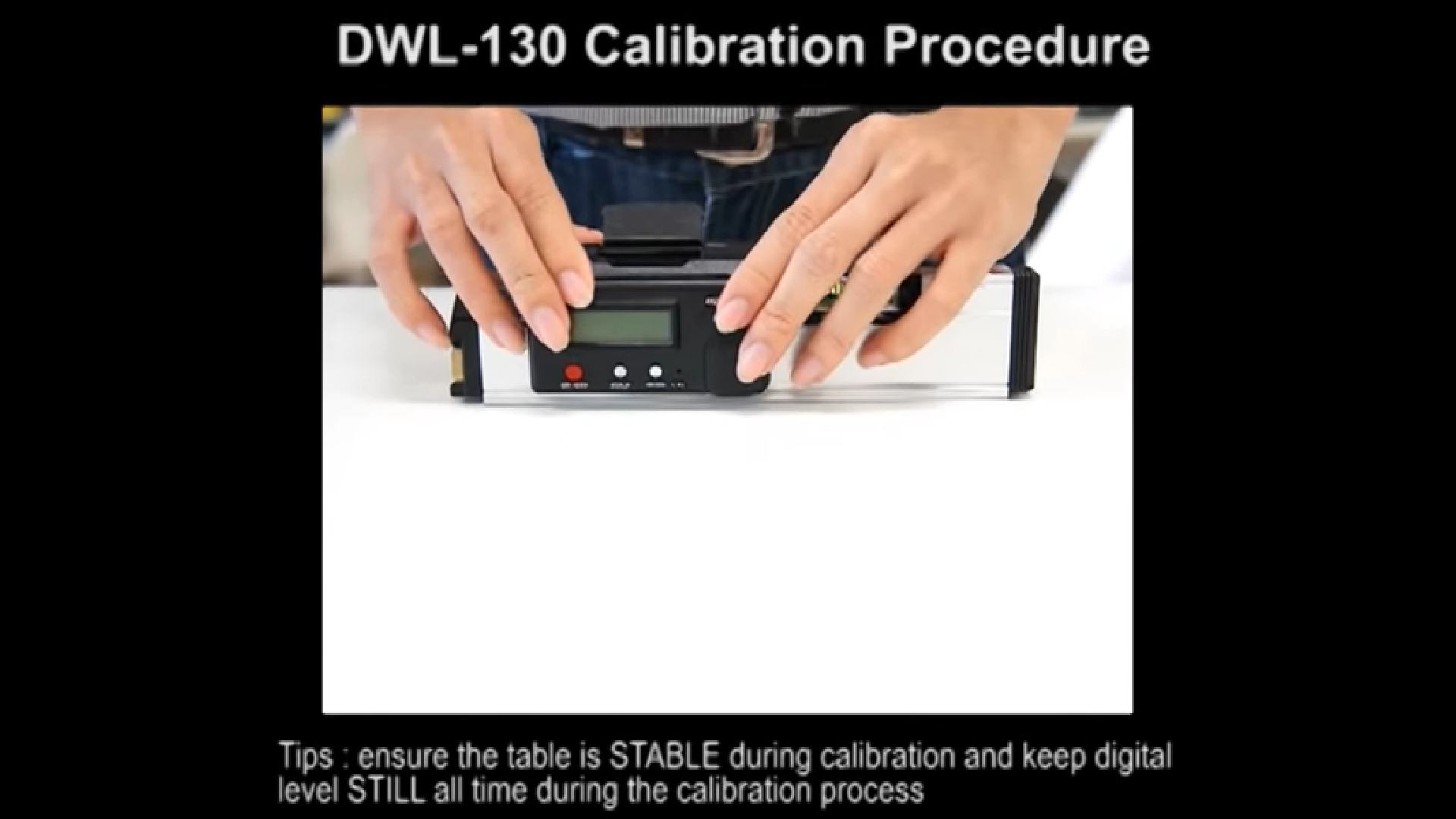
Calibrate your digital level regularly to keep it accurate. Do this before every major use or at least once a week. Temperature changes or shocks can affect its precision. Check the device on a flat, stable surface to ensure correct readings.
Follow these steps for calibration:
- Place the level on a flat surface.
- Turn it on and wait for it to stabilize.
- Press the calibration button or follow the device’s instructions.
- Rotate the level 180 degrees and check readings.
- Adjust if necessary until both readings match.
- Repeat calibration if readings vary too much.
Keep the level clean and store it safely to avoid damage. This helps maintain long-term accuracy.
Proper Handling And Storage
Protecting from shock and vibration is key to keeping a digital level accurate. Avoid dropping or banging it. Store the device in a padded case to reduce impact. Constant vibrations can harm the internal parts, so keep it away from heavy machinery.
Avoiding extreme temperatures helps the level last longer. Too much heat or cold can damage the battery and sensors. Store the tool indoors at room temperature. Do not leave it in a car or outside in bad weather.
Keeping the level clean is simple but important. Wipe the screen and body with a soft, dry cloth. Remove dirt, dust, and moisture after each use. Do not use harsh chemicals or water to clean it. This keeps the device working well and easy to read.
Credit: www.digipas.com
Using The Digital Level Correctly
Place the digital level firmly on the tripod to keep it steady. Ensure the tripod legs are fully spread and rest on a stable surface. Check that the digital level is balanced before starting to measure. Adjust the tripod height carefully to avoid shaking.
Tighten all the tripod knobs to prevent movement during use. A wobbly setup can cause wrong readings. Use a spirit bubble or the level’s built-in feature to confirm balance. Keep the tripod and level clean to maintain accuracy.
Maintaining Accuracy Over Time
Check your digital level’s accuracy regularly. Use a flat surface or a known reference point. This helps spot any errors early. If the readings seem off, it is time to recalibrate.
After any impact or drop, recalibration is important. Impacts can shift the sensors inside. Even small bumps might cause wrong measurements. Follow the manufacturer’s instructions to recalibrate your device.
Keep the digital level clean and dry. Dirt and moisture can affect its precision. Store it safely to avoid shocks. Regular checks and careful handling keep your level working well over time.

Credit: x.com
Troubleshooting Common Issues
High misclose errors often happen due to unstable surfaces. The digital level must be placed on a firm and steady base. Soft or uneven ground causes the tool to shift and give wrong readings.
Use a tripod or solid platform to support the digital level. Check that the tripod legs are fully extended and locked. Avoid setting up on loose gravel, sand, or wet soil.
Small movements during measurement can cause large errors. Make sure the level does not wobble while taking readings. Wait a moment before recording numbers to let the device settle.
Keep the contact points clean and dry. Dirt or moisture between the level and surface can cause slipping. Always verify the level is properly calibrated after repositioning.
Advanced Maintenance Tips
Keep the digital level clean by wiping it with a soft cloth. Avoid using water or liquids directly on the device. Dust can block the sensors and cause errors. Store the level in a dry place to protect it from moisture. Use a protective case when transporting it to prevent damage.
Schedule professional servicing every 12 to 18 months. Experts check the calibration and internal parts. Regular checks help keep measurements accurate and reliable. Do not wait for problems to appear before servicing. This routine care extends the tool’s life and performance.
Frequently Asked Questions
How To Maintain Digital Balance?
Maintain digital balance by setting screen time limits, taking regular breaks, prioritizing offline activities, and managing notifications effectively. Create tech-free zones and practice mindful usage to reduce digital overload and improve focus.
How To Maintain Digital Perm Hair?
Use sulfate-free shampoo and conditioner to keep digital perm hair moisturized. Avoid heat styling and brush gently. Deep condition weekly and protect hair from sun damage.
Is A Digital Spirit Level Worth It?
A digital spirit level offers precise readings, reduces errors, and speeds up tasks. It is worth investing for accuracy and efficiency.
How Do I Balance My Digital Scale?
Place the digital scale on a flat, stable surface. Press the calibration or tare button to zero it. Use a known weight to confirm accuracy. Repeat calibration regularly for best results.
Conclusion
Maintaining your digital level ensures accurate and reliable measurements. Clean it regularly and protect it from dust and moisture. Always store it in a safe, stable place to avoid damage. Calibrate the device before each use for best results. Handle it gently to prevent shocks or drops.
Following these simple steps keeps your digital level working well. Trust your tools by caring for them properly. Consistent maintenance saves time and improves your work quality. Keep your digital level ready for every project.