Guide to Digital Level: Ultimate Tips for Precision & Efficiency
Are you tired of guessing whether your surfaces are truly level? Whether you’re a DIY enthusiast or a professional, having the right tool can make all the difference.
A digital level brings precision and ease to your measuring tasks, helping you achieve perfect alignment every time. In this guide, you’ll discover how a digital level works, why it’s worth the investment, and tips to use it effectively. By the end, you’ll feel confident handling your projects with accuracy and speed—no more second-guessing or rework.
Ready to level up your skills? Let’s dive in!
Credit: tigersupplies.com
Digital Level Basics
A digital level is a tool used to measure angles and slopes with high accuracy. It shows the angle on a digital screen, making it easy to read.
Digital levels work by using sensors inside that detect the tilt of the device. These sensors send signals to the screen to display the angle or slope.
| Type | Use | Features |
|---|---|---|
| Handheld Digital Level | Small jobs, quick checks | Portable, easy to use |
| Digital Spirit Level | Construction, carpentry | High accuracy, audio signals |
| Digital Inclinometer | Measuring steep angles | Precise angle display |
Key Features To Look For
Accuracy and precision are the most important features of a digital level. Small errors can cause big problems in your work. Choose a level that measures angles with at least ±0.05° accuracy. This ensures your readings are reliable every time.
The display and readability matter a lot. A clear, bright screen helps you see numbers easily, even in low light. Some models offer a backlight or large digits for better visibility.
Battery life and power options affect how long you can use the level. Look for devices with long-lasting batteries or rechargeable options. This reduces downtime during projects.
Additional functions can make your work faster and easier. Features like sound alerts, hold function, memory storage, and auto calibration help improve usability and accuracy.
Choosing The Right Digital Level
Choosing the right digital level depends on the task you need to do. For simple DIY projects, a basic model works well. For professional work, look for one with high accuracy and multiple measurement modes. Some levels offer angle, slope, and height readings.
Below is a table of popular digital level models with their features and uses:
| Model | Accuracy | Best Use |
|---|---|---|
| SOLA Big Red | ±0.05° | General construction, layout |
| Huepar Digital Level | ±0.05° | Slope work, ADA ramps, drainage |
| DEWALT Digital Level | ±0.05° | Concrete, joinery, carpentry |
Costs vary but higher prices often mean better accuracy and extra features. Basic digital levels are affordable for casual use. Professionals may find the extra cost worthwhile for speed and precision.

Credit: www.institutedata.com
Using A Digital Level Efficiently
Start by placing the digital level on a flat surface. Calibrate the device using the instructions in the manual. This ensures accurate readings and better results. Check the battery level before use to avoid interruptions.
Hold the level steady to get the most precise measurement. Take multiple readings to confirm results. Use the display to read the angle or slope clearly. Some models allow you to switch units for ease.
Explore features like hold function to freeze readings or memory mode to save data. Use sound alerts to know when the level is perfectly horizontal. These functions help improve work speed and accuracy.
Avoid common mistakes like moving the level during measurement. Do not forget to recalibrate after dropping the tool. Keep the device clean and dry for long life. Always read the user manual fully before starting.
Maintenance And Care
Clean the digital level gently using a soft, dry cloth. Avoid harsh chemicals or water to stop damage to the device’s screen and sensors. For stubborn dirt, slightly dampen the cloth with water and wipe carefully.
Replace the battery as soon as the device shows low power. Use the battery type recommended by the manufacturer for best results. Remove the battery if you won’t use the level for a long time to prevent leakage.
Store the digital level in a cool, dry place away from direct sunlight. Keep it in a protective case to avoid dust and scratches. Avoid placing heavy objects on top of the level to maintain accuracy.
Applications In Various Fields
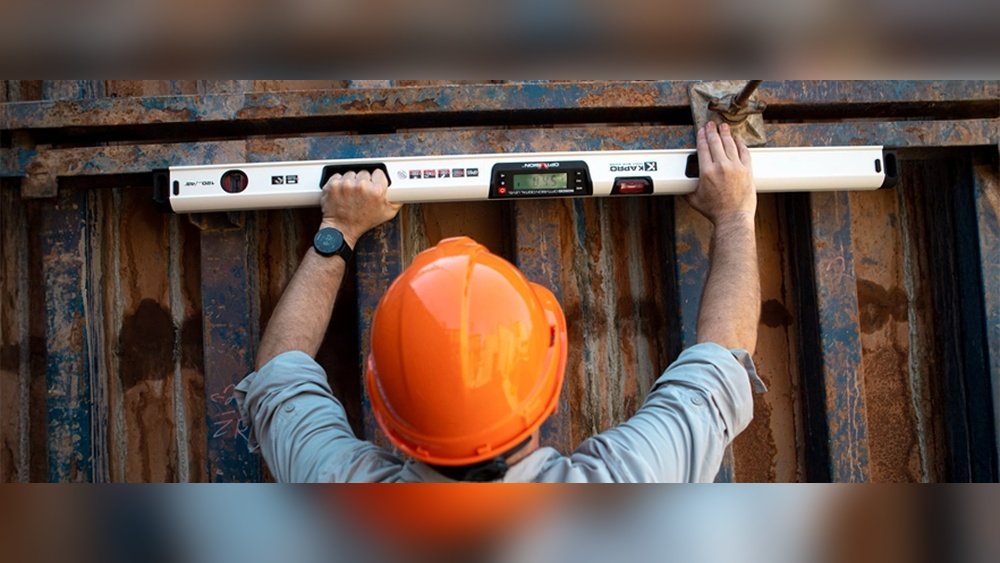
Digital levels are useful in many fields for accurate measurements. In construction and carpentry, they help check if surfaces are perfectly flat or angled correctly. Builders use them to ensure walls and floors are straight. This reduces errors and saves time.
For landscaping and slope work, digital levels measure angles of the ground. They guide workers to create proper slopes for drainage and design. This helps prevent water damage and keeps gardens healthy.
DIY home projects also benefit from digital levels. Homeowners use them to hang pictures, shelves, or build furniture. The tool makes sure everything is level and stable. Easy to use and very precise, it suits beginners well.
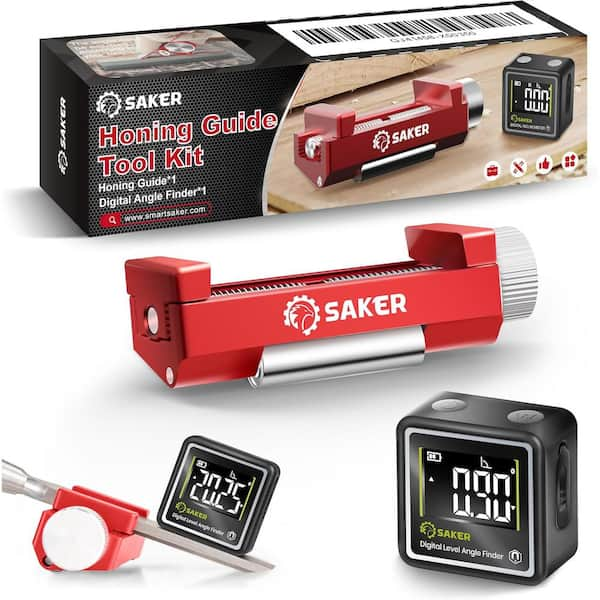
Credit: www.homedepot.com
Frequently Asked Questions
How To Operate A Digital Level?
Turn on the digital level and place it on the surface. Select the unit and wait for the reading. Use buttons to hold, calibrate, or switch modes. Read the digital display for precise measurements. Ensure the device is stable during use.
Which Digital Level Is Best?
The best digital level offers ±0. 05° accuracy, easy readability, and suits your specific tasks like construction or carpentry. Brands like SOLA are highly reliable.
Are Digital Levels Worth The Cost?
Digital levels justify their cost by offering faster, more accurate, and versatile measurements than traditional levels. They enhance precision and ease of use.
How To Properly Use A Digital Scale?
Place the scale on a flat, stable surface. Turn it on and wait for zero reading. Tare the scale if needed. Gently place the item to weigh in the center. Read the displayed weight clearly. Turn off after use to save battery.
Conclusion
Digital levels make measuring easier and more accurate. They save time and reduce errors on any project. Using the right tool improves your work quality. Keep your device calibrated for best results. Practice often to gain confidence and speed. With simple steps, you can measure angles and slopes precisely.
Digital levels suit beginners and pros alike. Start using one to see the difference today.