Smart Home Setup Guide: Ultimate Tips for Effortless Automation
Ready to transform your living space into a smart home but not sure where to start? This Smart Home Setup Guide is exactly what you need to turn your house into a connected, convenient, and secure haven.
Whether you want to control lights with your voice, boost your home’s security, or save energy with smart thermostats, this guide walks you through every step. You’ll discover the best devices to choose, how to pick the right smart home ecosystem for your needs, and tips to create seamless automation that fits your lifestyle.
Stick with us, and by the end, you’ll have the confidence to build a smart home that works perfectly for you.

Credit: www.youtube.com
Choosing A Smart Home Ecosystem
Choosing a smart home ecosystem is a key step in setting up your smart home. This decision shapes how your devices work together. It affects ease of use, device options, and future upgrades. Select an ecosystem that fits your daily habits and tech preferences. Compatibility with your devices ensures smooth control and better performance.
Amazon Alexa Compatibility
Amazon Alexa supports many smart devices from various brands. It works well with smart lights, plugs, cameras, and more. Alexa devices like Echo Dot and Echo Show serve as voice-controlled hubs. Alexa’s wide compatibility helps expand your smart home easily. The Alexa app simplifies device setup and management. It also offers routines to automate tasks and control multiple devices at once.
Google Assistant And Nest Integration
Google Assistant excels in answering questions and voice commands. It integrates tightly with Nest products, such as thermostats and cameras. Devices like Google Nest Audio and Nest Hub act as smart home centers. Google Assistant supports many third-party smart devices too. The Google Home app helps you organize and control your devices. It allows creating routines for a connected and automated home experience.
Apple Homekit For Apple Users
Apple HomeKit suits those who use Apple devices daily. It offers a secure and privacy-focused smart home system. HomePod and HomePod mini serve as HomeKit hubs and voice assistants. HomeKit works well with many smart lights, locks, and thermostats. The Home app on iPhone and iPad manages all your devices. It supports automation and scenes for easy control and comfort.
Essential Devices To Begin
Starting a smart home begins with choosing the right devices. These essentials help you control and automate your home easily. They bring convenience and improve daily life.
Each device type plays a unique role. Together, they create a connected and efficient home environment.
Smart Speakers And Displays
Smart speakers act as the home’s voice assistant. They let you control devices with simple commands. Displays add visual feedback and video calling. Popular choices include Amazon Echo, Google Nest, and Apple HomePod. These devices connect your smart home and answer questions fast.
Smart Plugs For Any Appliance
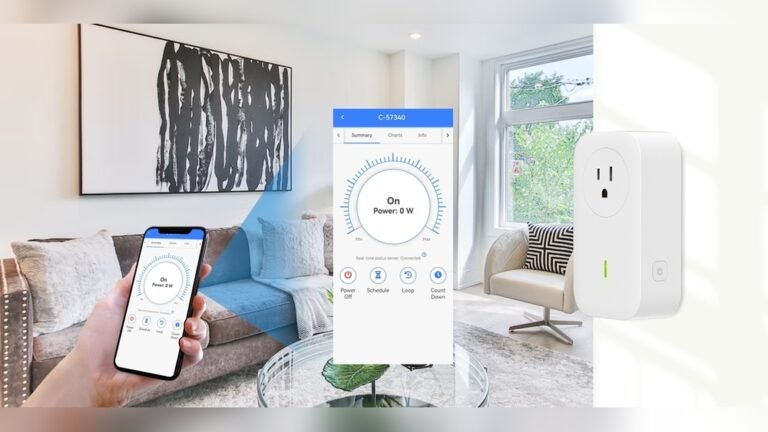
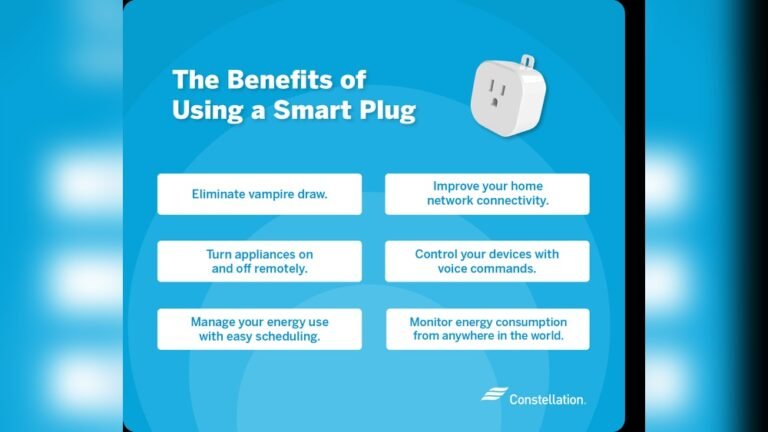
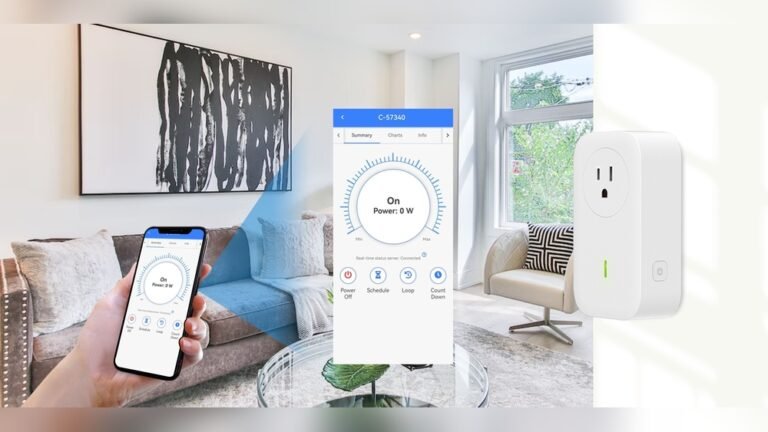
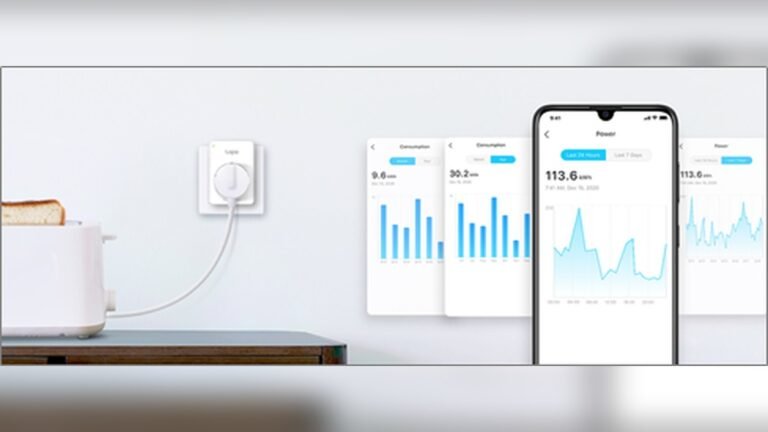
Smart plugs turn ordinary devices into smart ones. Plug lamps, fans, or coffee makers into them. Control these appliances remotely using your phone. Schedule on/off times to save energy and add comfort. They are affordable and easy to install.
Smart Bulbs For Lighting Control
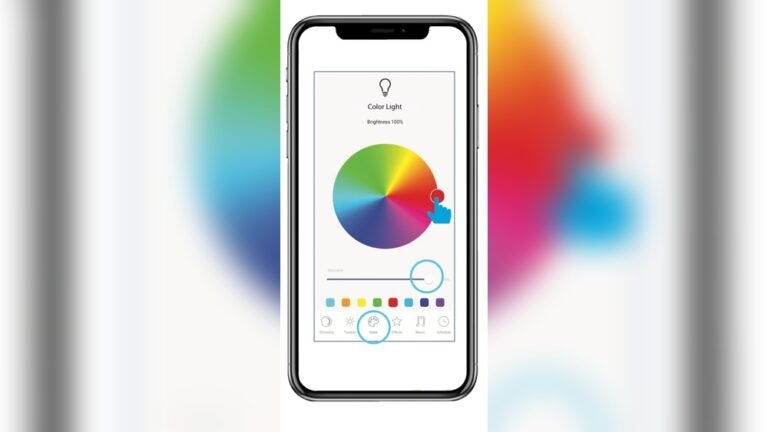
Smart bulbs allow you to adjust lighting with your voice or app. Change brightness and colors to suit your mood. Set schedules for lights to turn on or off automatically. These bulbs help create a cozy and energy-efficient home.
Smart Thermostats For Energy Savings
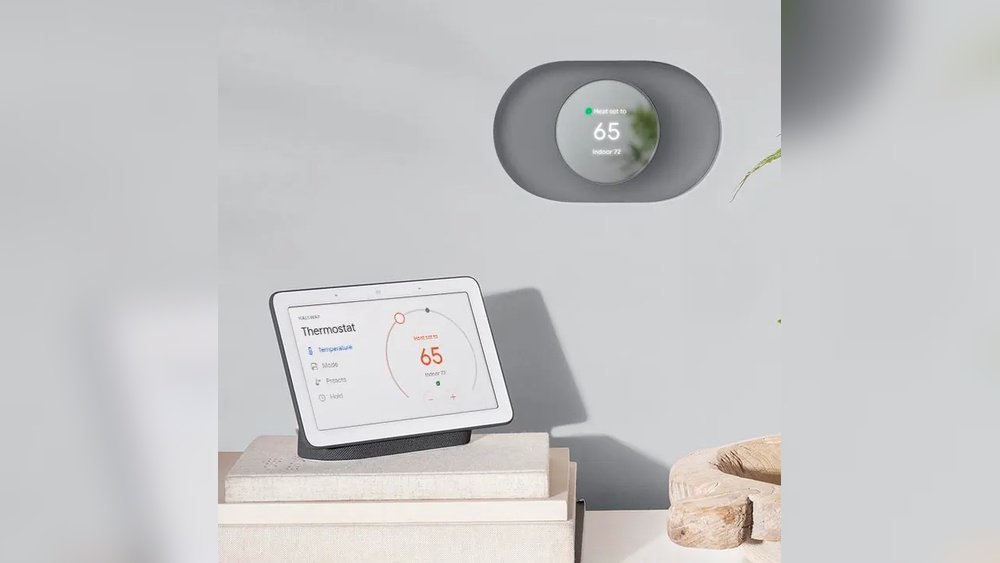
Smart thermostats regulate your home’s temperature efficiently. They learn your habits and adjust heating or cooling accordingly. This saves energy and lowers bills. Control your thermostat from anywhere for comfort and convenience.
Smart Locks And Doorbells
Smart locks improve home security and keyless entry. Lock or unlock doors remotely and grant access to guests. Video doorbells show who is at the door on your phone. These devices add safety and peace of mind.
Advanced Setup Options
Advanced setup options offer more control and customization for your smart home. These setups go beyond basic device connections and create a smoother, more integrated system. They suit users who want to manage multiple devices easily and ensure everything works well together.
Dedicated Smart Home Hubs
Dedicated smart home hubs act as the main control center for your devices. They connect various gadgets and let you manage them from one place. Some popular hubs include Samsung SmartThings and Hubitat. These hubs support many brands and protocols, reducing compatibility issues. Using a hub can improve system reliability and speed up device response times.
Using Home Assistant For Flexibility
Home Assistant is an open-source platform that offers great flexibility. It supports a wide range of devices and custom automations. Home Assistant runs on local hardware, which means your data stays private. It requires some technical knowledge but rewards users with powerful control. You can create complex routines that fit your lifestyle exactly.
Matter Standard For Device Compatibility
The Matter standard is a new way to improve device compatibility. It allows smart home products from different brands to work together easily. Matter supports popular platforms like Apple HomeKit, Google Home, and Amazon Alexa. This standard simplifies setup and reduces connection problems. Choosing Matter-compatible devices helps future-proof your smart home system.
Installation And Network Tips
Setting up a smart home requires careful attention to installation and network details. Proper setup ensures devices work smoothly and respond quickly. This section offers practical tips to help you install your smart home system correctly and optimize your network for better performance.
Diy Vs Professional Installation
Decide if you want to install devices yourself or hire a professional. DIY saves money but needs time and patience. Basic devices like smart plugs or bulbs are easy to install alone. Complex systems, such as smart hubs or security cameras, may need expert help.
Professionals ensure devices connect correctly and safely. They also help avoid common setup errors. Choose professional installation for large or complicated smart home setups. For smaller setups, follow clear instructions and online tutorials.
Optimizing Hub Placement
Place your smart home hub in a central, open area. Avoid spots near thick walls or metal objects that block signals. Higher placement, like on a shelf, improves signal range. Keep the hub away from other electronics that cause interference.
Good placement helps all connected devices work faster. It reduces delays in commands and improves overall system reliability. Test different locations before finalizing the hub’s spot. A strong signal throughout your home enhances your smart home experience.
Extending Network With Repeaters
Use Wi-Fi repeaters to extend your network’s range. They boost signals to reach distant rooms or outdoor areas. Place repeaters halfway between your router and weak signal zones. Avoid placing them too far from the main router.
Repeaters help smart devices stay connected without losing speed. They reduce dead zones where devices might lose connection. Choose repeaters compatible with your router for best results. This step ensures all smart devices stay online and responsive.
Automation And Routine Creation
Automation and routine creation form the heart of any smart home setup. They bring convenience and efficiency to daily life. By automating tasks, your home responds to your needs without constant input.
Creating smart routines lets devices work together seamlessly. This saves time and creates a more comfortable living space. Understanding how to group devices and integrate voice assistants enhances this experience.
Grouping Devices
Grouping devices allows you to control multiple gadgets at once. For example, you can group all living room lights together. Turning them on or off happens with one command.
Groups can include lights, plugs, sensors, and more. This reduces the number of commands you need to give. It makes managing your smart home simpler and faster.
Creating Custom Routines
Custom routines automate daily actions based on time or events. You can set your lights to turn on at sunset. Or have your thermostat adjust when you leave home.
Routines help your home adapt to your lifestyle automatically. They can trigger multiple devices with one action. This creates a smooth, hands-free environment.
Voice Assistant Integration
Integrating voice assistants adds a new level of control. Amazon Alexa, Google Assistant, and Apple Siri let you use voice commands. This hands-free control is perfect for busy moments.
Voice commands can activate routines or control grouped devices. You can say, “Turn off all lights” or “Set evening routine.” This makes your smart home more accessible and user-friendly.
Budgeting Your Smart Home
Setting up a smart home can be exciting but requires careful budgeting. Planning your expenses helps avoid overspending. A clear budget lets you pick devices that fit your needs and wallet.
Start by listing essential devices and features. Prioritize what matters most for daily use. Smart homes can be affordable with the right choices.
Affordable Device Options
Smart plugs and bulbs offer low-cost entry points. These devices add convenience without high prices. Brands like TP-Link and Wyze make reliable, budget-friendly products. Basic smart speakers can serve as hubs without costing much. Keep an eye on sales for discounts.
Balancing Cost And Features
Focus on devices that offer good value, not just the lowest price. Sometimes spending a bit more adds useful features and better quality. Check compatibility with your chosen smart home system. Avoid buying gadgets that won’t work well together. Consider future upgrades and whether devices support new standards like Matter.
Security And Privacy Considerations
Setting up a smart home brings convenience and control to your fingertips. Security and privacy play a vital role in protecting your personal data and home safety. Every smart device connects to the internet, creating possible entry points for hackers. Taking steps to secure your devices and network reduces these risks.
Secure Device Choices
Choose smart devices from trusted brands with strong security records. Look for products that offer regular software updates and patches. Avoid devices with weak passwords or outdated security protocols. Select devices that allow you to change default passwords easily. Prioritize those with built-in encryption to protect your data. Read user reviews focusing on security and privacy experiences. Check if the manufacturer supports two-factor authentication for account access.
Protecting Your Network
Use a strong, unique password for your Wi-Fi network. Enable WPA3 encryption on your router for better protection. Create a separate network or guest network for your smart devices. Update your router’s firmware regularly to fix vulnerabilities. Disable features you do not use, like WPS or remote management. Consider using a firewall to monitor and control incoming traffic. Turn off devices when not in use to limit exposure. Monitor your network for unusual activity or unknown devices. Secure your home network first to keep all devices safe.
Credit: www.mutuallyhuman.com
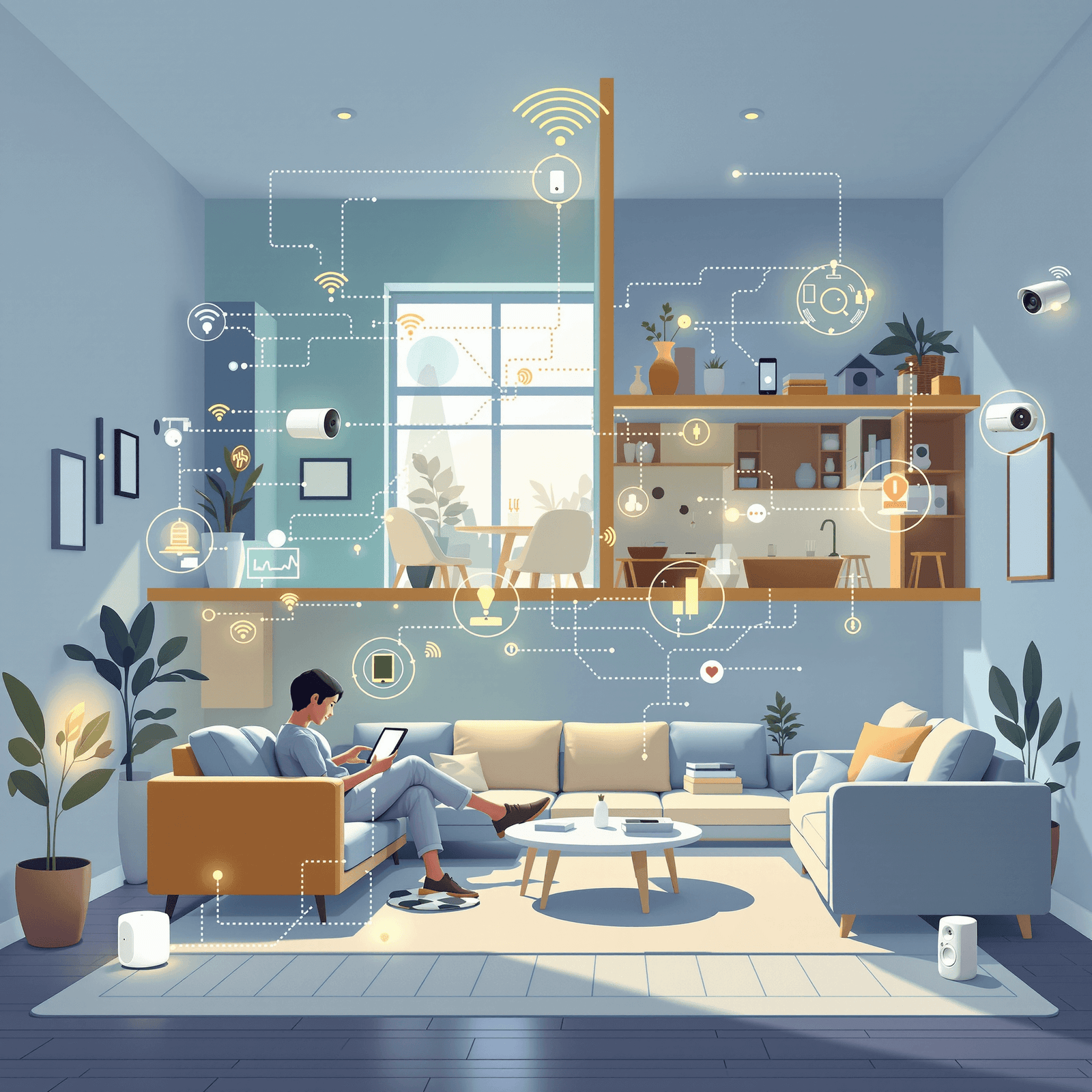
Credit: www.vesternet.com
Frequently Asked Questions
What Is The Best Smart Home Setup?
The best smart home setup uses a reliable ecosystem like Alexa, Google Assistant, or Apple HomeKit. Start with smart speakers, plugs, bulbs, thermostats, and security devices. Use hubs or Matter for device compatibility. Optimize network placement for strong signals and seamless automation.
What Is Needed In A Smart Home To Connect?
A smart home needs a reliable Wi-Fi network, compatible smart devices, and a central hub or app to connect and control them.
What Do You Need To Start A Smart Home?
To start a smart home, choose a compatible ecosystem like Alexa, Google Assistant, or Apple HomeKit. Get a smart speaker, smart plugs, bulbs, and thermostat. Ensure a strong Wi-Fi network and consider a smart hub for advanced control and device integration.
What Are Common Problems With Smart Homes?
Common smart home problems include connectivity issues, device compatibility, security vulnerabilities, complex setup, and unreliable automation.
Conclusion
Setting up a smart home can be simple and rewarding. Start with basic devices like smart speakers and bulbs. Choose an ecosystem that fits your needs and budget. Adding security and energy-saving devices improves comfort and safety. Plan your network well for strong connections.
Experiment with routines to make daily life easier. Small steps lead to a smarter, more convenient home. Keep learning and upgrading as new tech appears. Enjoy the comfort and control a smart home offers.