How to Install Home Security Camera: Ultimate DIY Step-by-Step Guide
Installing a home security camera can keep your house safe. It helps you watch your home when you are away. This guide will show you easy steps to install your camera. No need to be an expert. Just follow simple instructions.
Why Install a Home Security Camera?
Home security cameras help protect your family and belongings. They can stop thieves and alert you to danger. You can check your home anytime from your phone. Cameras also give peace of mind.
Types of Home Security Cameras
There are two main types of cameras:
- Wired Cameras: These cameras connect with cables. They need power cables and video cables.
- Wireless Cameras: These cameras connect through Wi-Fi. They get power from batteries or power cords.
Each type has good points. Choose the one that fits your home and budget.
Tools and Materials Needed
Before starting, gather these items:
- Security camera kit (camera, mounting brackets)
- Drill and drill bits
- Screwdriver
- Measuring tape
- Power cables or batteries (depending on camera type)
- Wi-Fi or network cable (for wired cameras)
- Ladder (if you need to reach high places)
Step 1: Plan Camera Locations
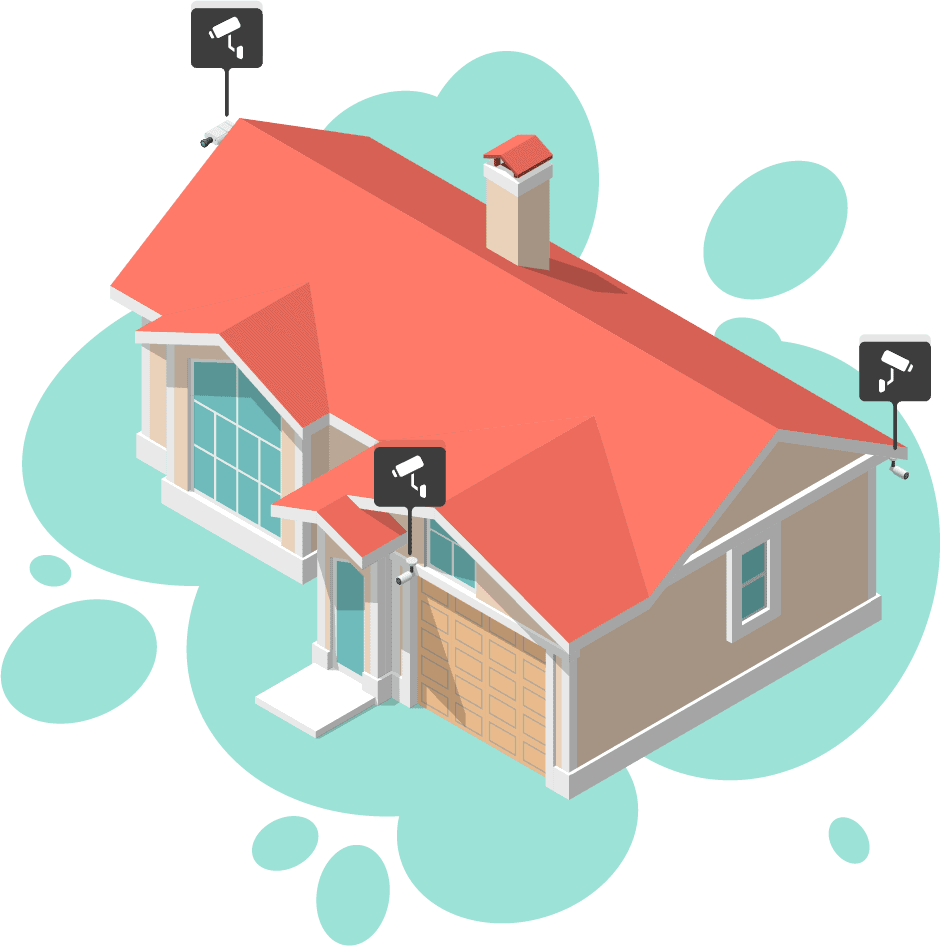
Think about where to put your cameras. Good places include:
- Near front and back doors
- Garage and driveway
- Near windows on the ground floor
- In living rooms or hallways inside
Place cameras where they can see the most. Also, put them high enough to avoid damage.
Credit: www.gensecurity.com
Step 2: Check Power and Network
Each camera needs power. For wired cameras, find a power source nearby.
Wireless cameras may use batteries or power plugs. Make sure the batteries are fresh.
Also, check if your Wi-Fi signal is strong where you want to install the camera. Wireless cameras need good Wi-Fi to work well.
Step 3: Mount the Camera
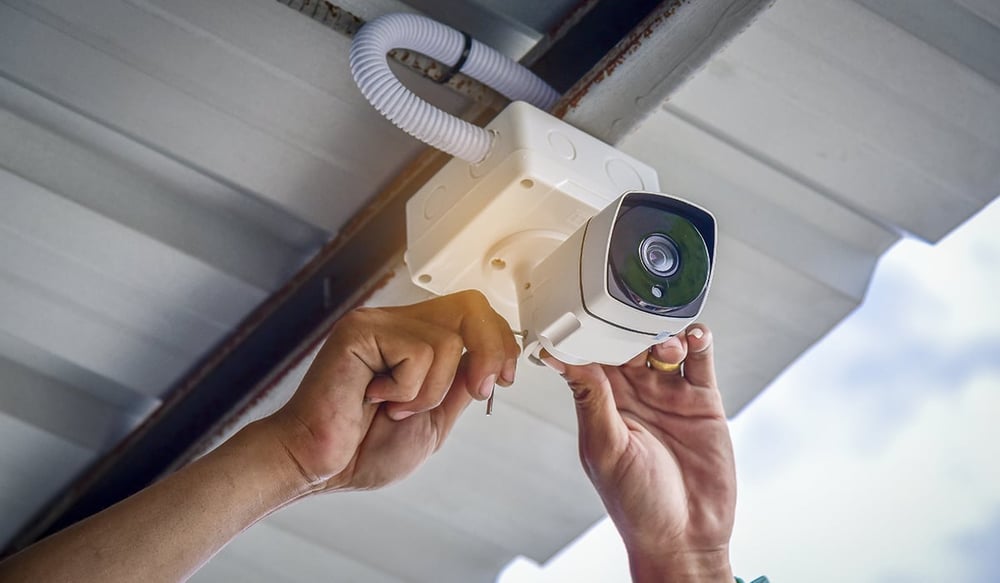
Use the mounting bracket that comes with your camera. Follow these simple steps:
- Hold the bracket on the wall or ceiling where you want the camera.
- Mark the drill spots with a pencil.
- Drill holes carefully.
- Attach the bracket using screws.
- Fix the camera on the bracket.
Make sure the camera is tight and will not fall.
Step 4: Connect the Camera
If you have wired cameras, connect the cables now:
- Run the power cable to the camera.
- Connect the video cable to your recording device or monitor.
For wireless cameras:
- Plug in the power adapter or insert batteries.
- Follow the instructions to connect the camera to Wi-Fi.
Credit: kdfoundation.org
Step 5: Set Up the Camera System
Most cameras come with an app or software. Use it to finish setup:
- Download the app on your phone or computer.
- Create an account if needed.
- Follow the app steps to add your camera.
- Adjust camera settings like motion detection and alerts.
Test your camera by watching live video on your device.
Step 6: Adjust Camera Angles
Move the camera to get the best view. Check that it covers the area well.
Make sure the camera is not pointing into bright lights. This can make the image unclear.
Also, avoid pointing cameras directly at the sun or street lights.
Tips for Better Installation
- Keep cameras visible to deter thieves.
- Use weatherproof cameras for outdoors.
- Run extra cables if possible for future cameras.
- Mount cameras under eaves to protect from rain.
- Label your cables to avoid confusion.
Common Questions
| Question | Answer |
|---|---|
| Do I need an electrician to install cameras? | Not always. You can install simple cameras yourself. |
| Can I use Wi-Fi cameras without internet? | No. Wi-Fi cameras need internet to send video. |
| How long do wireless camera batteries last? | Usually several months, depends on use and model. |
| Can I install cameras outside? | Yes. Use cameras made for outdoor use. |
Frequently Asked Questions
Can I Install Home Security Cameras Myself?
Yes, you can install home security cameras yourself by planning locations, mounting cameras, and connecting power or Wi-Fi. Follow instructions carefully.
Do I Need An Electrician To Install Security Cameras?
You don’t always need an electrician to install security cameras. DIY installation suits wireless or simple wired systems. Complex wiring or PoE setups may require professional help for safety and optimal performance.
How Do Wireless Home Security Cameras Get Power?
Wireless home security cameras get power through rechargeable batteries or by plugging into electrical outlets. Some use solar panels for continuous charging.
Do Home Security Cameras Need Wi-fi To Work?
Home security cameras usually need Wi-Fi to stream live video and send alerts. Some wired or PoE cameras work without Wi-Fi. Local storage cameras record internally but lack remote access without internet. Wi-Fi enhances features like app control and cloud backup for most security cameras.
Conclusion
Installing a home security camera is not hard. Plan your setup, gather tools, and follow steps. Place cameras well and connect them carefully.
Use the app to control your cameras. Keep your home safe and watch over it anytime.
Now, you are ready to install your own security cameras. Take your time and be safe!