How to Use Smart Plugs: Ultimate Guide to Smart Home Control
Smart plugs are small devices that can control the power of your home appliances. They connect to your Wi-Fi and let you turn devices on or off using your phone or voice. This guide will help you understand how to use smart plugs easily.
What Is a Smart Plug?
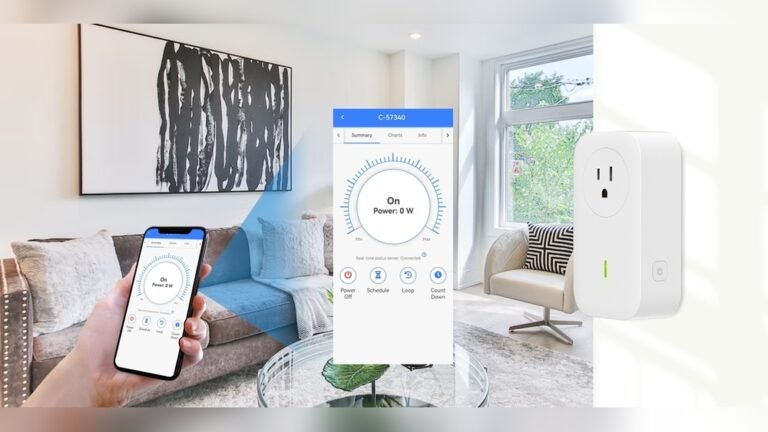
A smart plug looks like a normal plug. But inside, it has smart technology. It connects to your Wi-Fi network. You plug it into a wall socket. Then, you plug your device into the smart plug.
With a smart plug, you can control your devices remotely. For example, you can turn lights on or off from your phone. You can also set a schedule for when the device should work.
Why Use a Smart Plug?
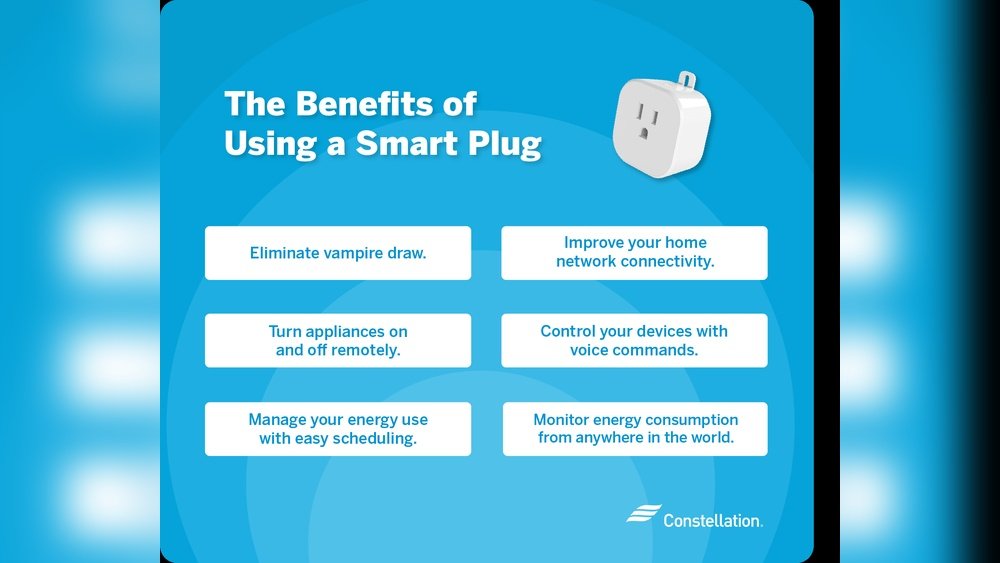
- Save energy: Turn off devices when not needed.
- Convenience: Control devices from anywhere.
- Automation: Schedule devices to work at certain times.
- Safety: Avoid leaving devices on by mistake.
What Do You Need to Use a Smart Plug?
Before you start, you need a few things:
- A smart plug compatible with your Wi-Fi network.
- A smartphone or tablet.
- The app that matches your smart plug (usually free).
- A Wi-Fi connection at home.
Step-by-Step: How to Set Up a Smart Plug
Follow these easy steps to set up your smart plug.
- Plug the smart plug into a wall socket.
- Download the app for your smart plug. You can find it in the App Store or Google Play.
- Open the app and create an account, if needed.
- Put the smart plug in pairing mode. Usually, press a button on the plug until a light blinks.
- Use the app to connect the smart plug to your Wi-Fi. Follow the instructions in the app.
- Once connected, you can control the smart plug from the app.
How to Control Devices with a Smart Plug
After setup, you can control the devices plugged into the smart plug.
- Turn On or Off: Use the app to switch devices on or off anytime.
- Set Schedules: Make devices turn on or off automatically.
- Use Voice Control: If you have a smart assistant like Alexa or Google Assistant, link your smart plug to it. Then, use your voice.
Good Devices to Use with Smart Plugs
Smart plugs work best with devices that:
- Use simple on/off control.
- Do not need special start-up sequences.
Here are some examples:
| Good Devices for Smart Plugs |
|---|
| Lamps and lights |
| Fans |
| Heaters (small ones) |
| Electric kettles (when used carefully) |
| Holiday decorations like string lights |
| Phone or gadget chargers |
What Should You Not Plug Into a Smart Plug?
Some devices are not safe or do not work well with smart plugs. Avoid using smart plugs with:
- Microwaves or other heavy kitchen appliances.
- Fridges or freezers.
- Medical devices.
- Devices with built-in timers or special start-up needs.
Always check the power rating of your smart plug. Do not overload it.
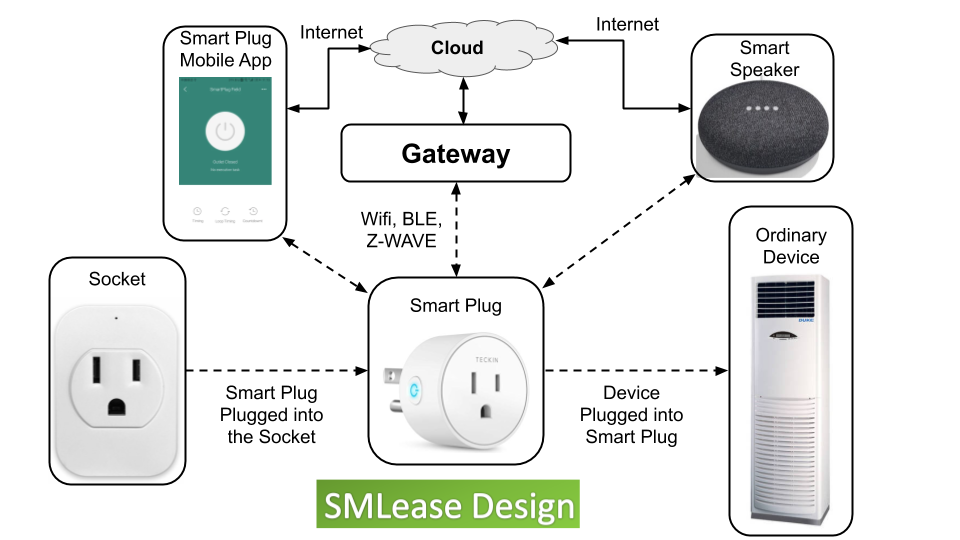
Credit: www.smlease.com
How to Use Smart Plugs Without Wi-Fi
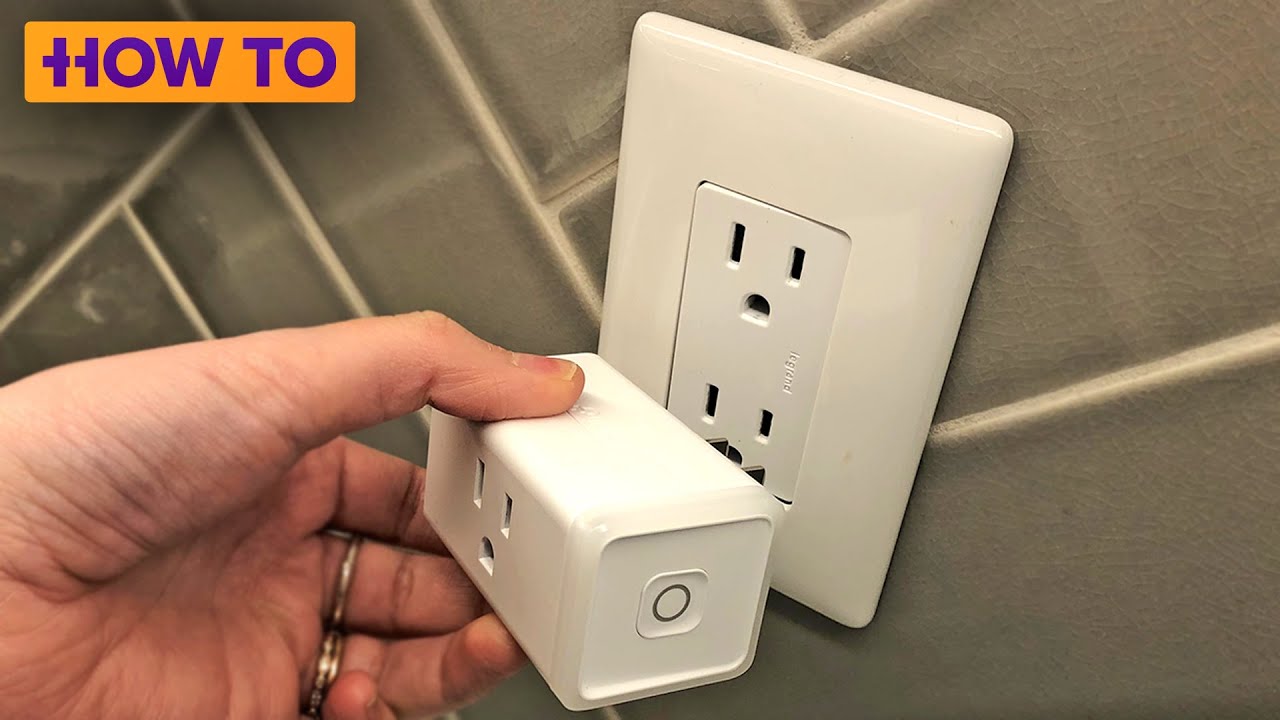
Most smart plugs need Wi-Fi to work fully. But some models allow basic control with buttons on the plug. You can turn devices on or off by pressing a button.
However, remote control and scheduling usually need Wi-Fi and the app.
Credit: www.youtube.com
Tips for Using Smart Plugs
- Place smart plugs in easy-to-reach outlets. This helps if you need to reset them.
- Check app updates regularly. They can improve how your smart plug works.
- Label your smart plugs in the app. This helps you know which device is which.
- Use timers to save energy. For example, turn off lights when no one is home.
- Try voice control if you have a smart assistant. It makes controlling devices faster.
How Smart Plugs Save Energy
Smart plugs help save electricity. You can turn off devices when not in use. This stops “phantom” energy use. Phantom energy is power used by devices even when off.
For example, chargers and TVs often use small power amounts when plugged in. Smart plugs can cut this power completely.
Using Smart Plugs Safely
Keep safety in mind when using smart plugs:
- Do not overload the smart plug with heavy devices.
- Use smart plugs indoors unless rated for outdoor use.
- Keep smart plugs away from water.
- Read the manufacturer’s instructions carefully.
Smart Plug Features to Look For
When choosing a smart plug, look for these features:
| Feature | Why It Matters |
|---|---|
| Wi-Fi compatibility | Works with your home internet |
| App control | Easy to use on phone or tablet |
| Voice assistant support | Use Alexa, Google, or Siri |
| Energy monitoring | See how much power your device uses |
| Scheduling | Set timers to turn devices on/off |
| Overload protection | Stops too much power use |
Frequently Asked Questions
What Should You Not Plug Into A Smart Plug?
Do not plug high-power appliances like heaters, microwaves, or refrigerators into smart plugs. Avoid devices with motors or continuous high current. Smart plugs suit low-wattage items like lamps and chargers to prevent damage and ensure safety.
What Are Good Things To Use Smart Plugs For?
Smart plugs control lamps, fans, and coffee makers remotely. They automate schedules, save energy, and enhance home security. Use them for holiday lights, chargers, or appliances needing timers. Smart plugs add convenience and efficiency to everyday devices.
What Do I Need To Make A Smart Plug Work?
Plug the smart plug into an outlet. Download its app on your phone. Connect the plug to Wi-Fi using the app. Control devices remotely.
Do Smart Plugs Still Use Electricity When Off?
Smart plugs consume a small amount of electricity even when turned off. This standby power supports connectivity and remote control features.
Conclusion
Smart plugs are easy to use and helpful. They give you control over your home devices. You can save energy and make life simple.
Just follow the simple steps to set up your smart plug. Use the app to control your devices. Remember to use smart plugs with suitable devices only.
Start small. Try a smart plug with a lamp or fan. See how it feels. Then, add more if you like.
Smart plugs can help you control your home, save energy, and stay safe.