Smart Security System for Home, Ultimate Protection Made Easy
Imagine having complete control over your home’s safety right from your phone, no matter where you are. A smart security system for your home does just that—it keeps you connected, informed, and protected around the clock.
If you want to stop worrying about break-ins, monitor every corner, and get instant alerts the moment something feels off, this is the solution you’ve been waiting for. Ready to discover how a smart security system can transform your home into a fortress?
Keep reading, because your peace of mind starts here.
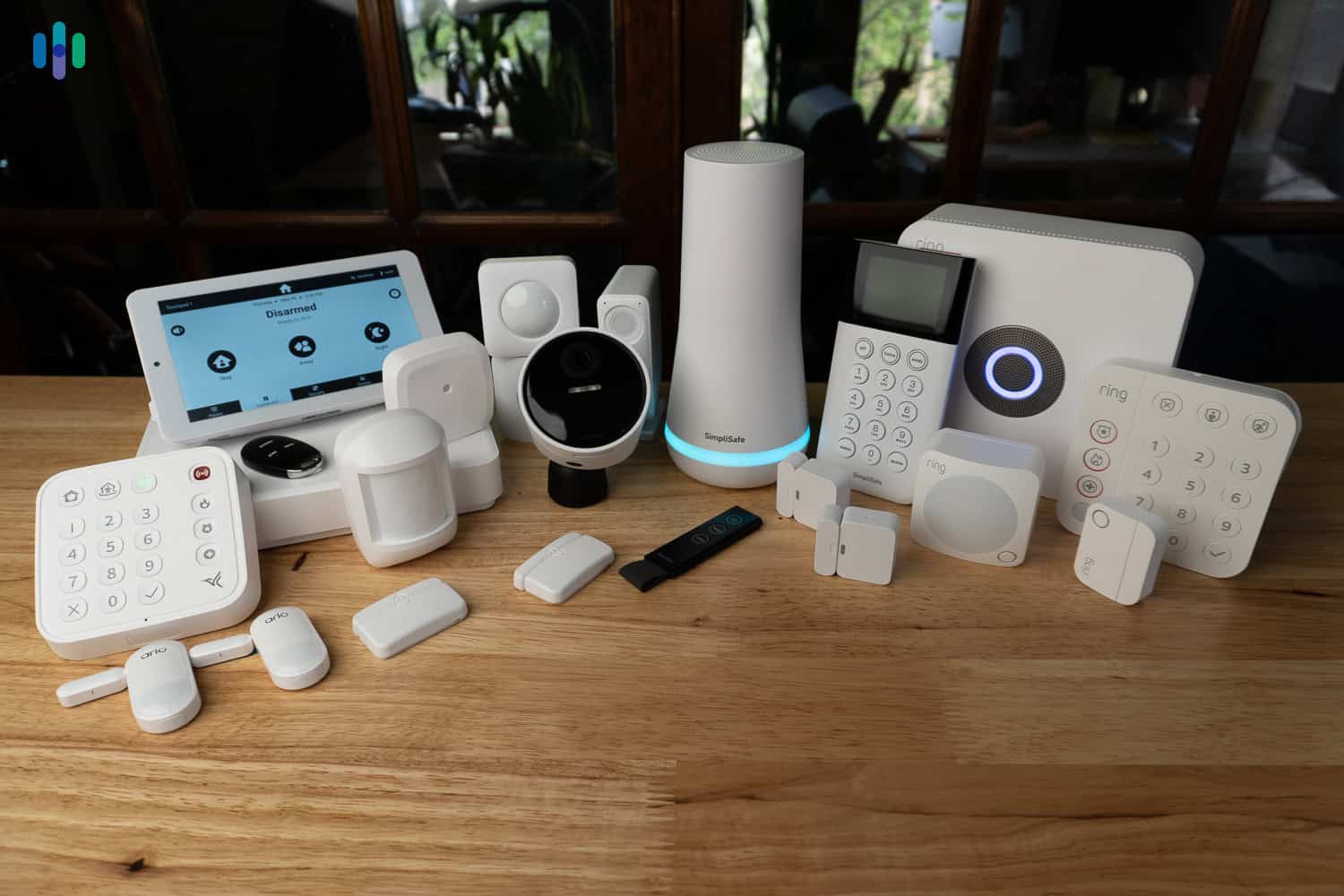
Credit: www.security.org
Benefits Of Smart Home Security
Smart home security systems offer more than just protection. They bring many benefits that make homes safer and life easier. These systems use modern technology to keep your family and property secure. Understanding their benefits helps you see why smart security is a smart choice.
Enhanced Safety Features
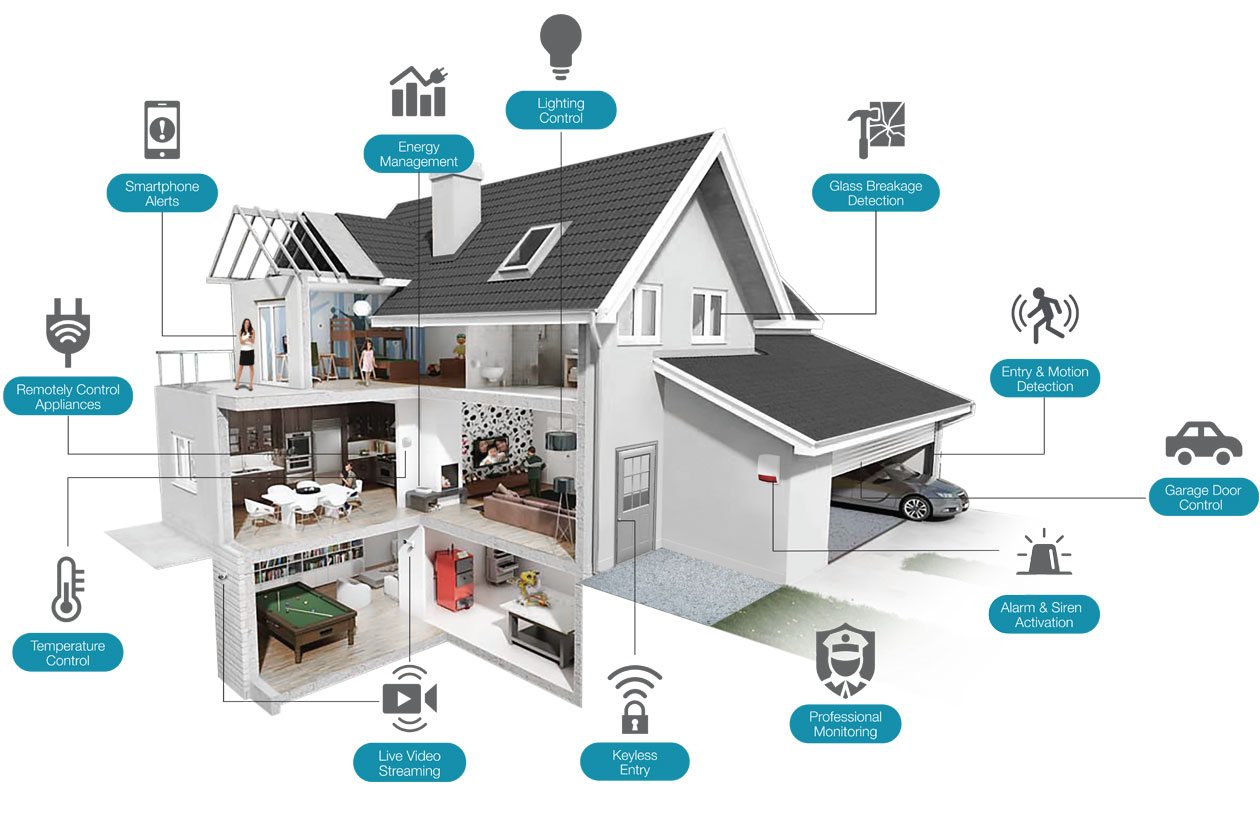
Smart home security systems include advanced sensors and alarms. They detect break-ins, fires, and gas leaks quickly. Some systems use facial recognition for extra security. Alerts notify you immediately about any danger. This fast response helps prevent damage and harm.
Remote Monitoring Convenience
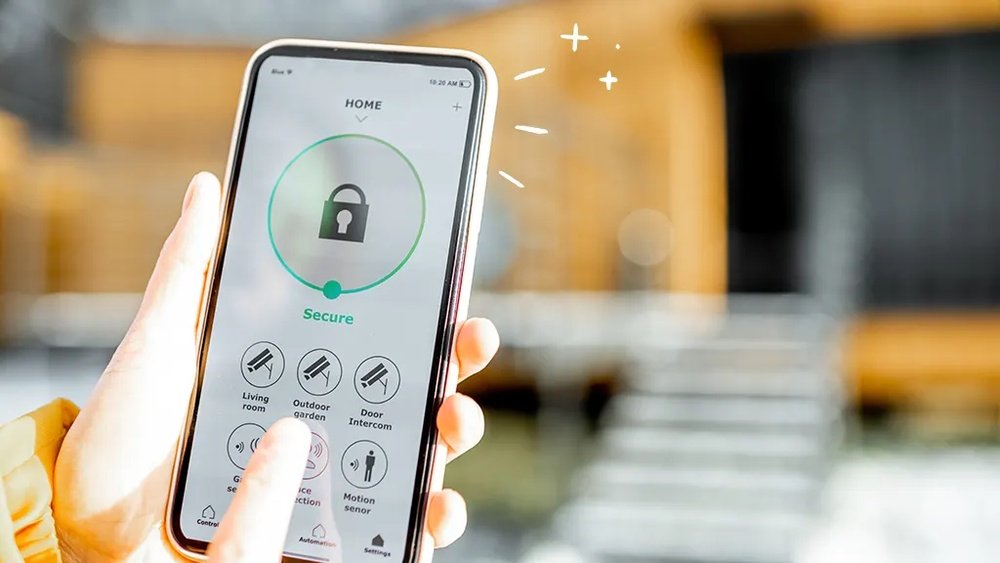
Access your security system from anywhere using a smartphone. Check live video feeds anytime you want. Receive notifications about any suspicious activity. This control brings peace of mind when you are away. It also allows quick action if an emergency happens.
Integration With Smart Devices
Smart security works with other smart home gadgets. You can connect cameras, lights, and locks in one system. Automate actions, like turning on lights when motion is detected. Voice assistants can control your security devices easily. This integration creates a seamless and secure environment.
Types Of Smart Security Systems
Smart security systems for homes come in several types. Each type offers unique features and benefits. Choosing the right system depends on your needs, budget, and comfort with technology.
Understanding the main types helps you make a smart choice for home safety. Below are the three popular types of smart security systems.
Professional Monitoring Systems
Professional monitoring systems provide 24/7 surveillance by a security company. Sensors and cameras send alerts to the monitoring center. Trained staff quickly respond to alarms and notify authorities. These systems often include installation and maintenance services. They suit homeowners who want expert support and peace of mind.
Diy Security Kits
DIY security kits allow homeowners to install and manage their system. These kits include cameras, sensors, and smart devices. They connect to your smartphone for real-time alerts and control. DIY kits are affordable and flexible. They fit those who prefer hands-on control and easy setup.
Hybrid Solutions
Hybrid solutions combine professional monitoring with DIY installation. You can install devices yourself but still get expert response. This option offers more control and lower costs than full professional systems. Hybrid systems suit people who want balance between convenience and support.
Key Components To Consider
Choosing the right smart security system involves understanding its core parts. These parts work together to keep your home safe. Knowing what to look for helps you pick the best fit for your needs.
Cameras And Sensors
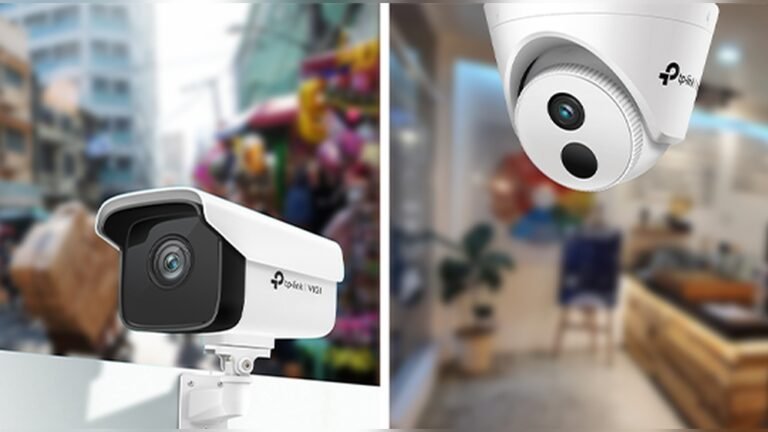
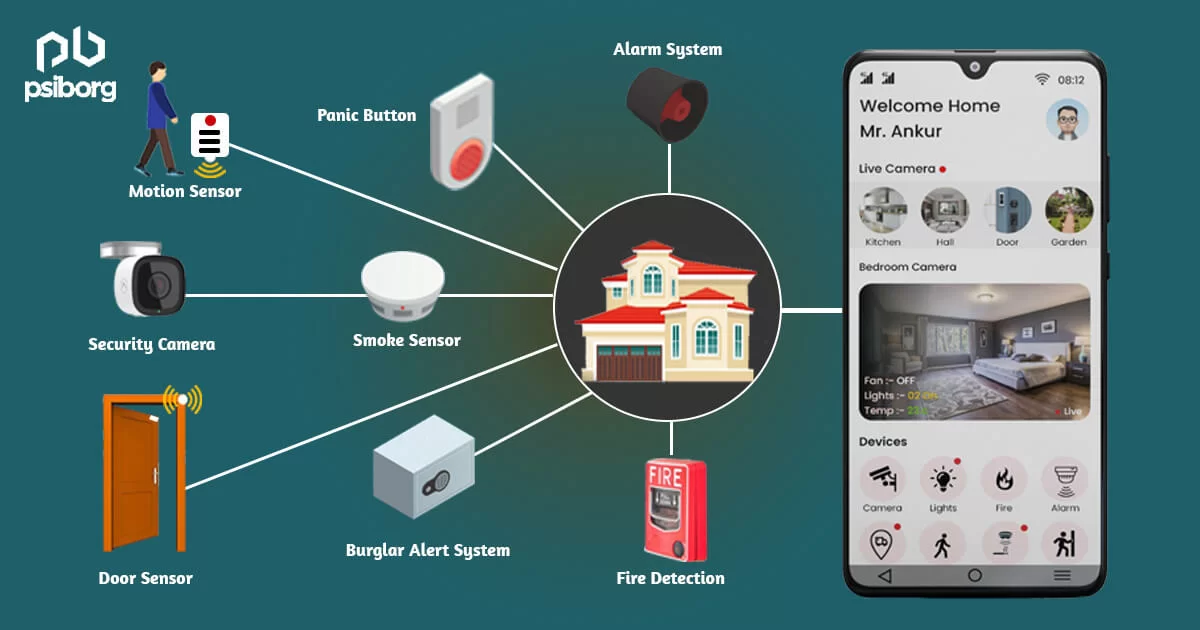
Cameras capture live video and record suspicious activity. Look for cameras with clear night vision and wide views. Sensors detect motion, doors, and windows opening. They alert you to any unusual movement quickly.
Alarms And Alerts
Alarms scare off intruders with loud sounds. They trigger when sensors detect a breach. Alerts send instant notifications to your phone. This keeps you informed no matter where you are.
Control Panels And Apps
Control panels serve as the system’s command center. They allow easy setup and management of devices. Mobile apps provide remote control and real-time updates. Use apps to arm or disarm your system with ease.
Top Brands And Products
Choosing the right smart security system for your home is crucial. Top brands offer various features to protect your property effectively. This section highlights trusted names and their popular products. Each brand caters to different needs, from professional installation to easy DIY setups. Explore options that fit your lifestyle and budget.
Adt And Professional Options
ADT is a leader in home security with decades of experience. Their systems include professional monitoring and expert installation. ADT uses advanced sensors and cameras to secure homes. They provide 24/7 monitoring to alert authorities quickly. This option suits homeowners who want full support and reliability. Packages often include smart home integration for added convenience.
Simplisafe And Diy Favorites
SimpliSafe offers flexible, easy-to-install security systems. It appeals to those who prefer setting up their system themselves. The brand provides wireless sensors, cameras, and alarms with no contracts. SimpliSafe has affordable plans and fast setup. The system can be expanded as needed, ideal for renters or new homeowners. Its user-friendly app helps monitor your home remotely.
Emerging Brands And Innovations
New brands bring fresh ideas to smart home security. They focus on affordable prices and smart technology. Some offer battery-powered devices that last months without charging. Others use AI to reduce false alarms and improve detection. Innovations include voice control and seamless smart home integration. These brands are gaining attention for combining tech and value effectively.
Installation And Setup Tips
Setting up a smart security system at home requires careful planning. Proper installation ensures reliable performance and full coverage. Simple steps can help avoid common problems and make your system work smoothly.
Choosing The Right Placement
Select locations that cover main entry points like doors and windows. Place cameras high to prevent tampering and get a wide view. Avoid pointing cameras at bright lights or reflective surfaces. Sensors should be near doors, windows, and any vulnerable areas. Test the view and signal strength before final installation.
Wiring Vs Wireless Setup
Wired systems offer stable connections and no battery worries. They need professional installation and may require drilling. Wireless systems are easier to install and flexible to move. Batteries need regular checks and replacement. Check your home’s layout and choose the setup that fits best. Some systems combine both for better coverage.
Common Installation Mistakes
Don’t place cameras in hidden spots with poor visibility. Avoid installing sensors too far from the control panel. Neglecting to secure the system’s network risks hacking. Skipping regular system tests can leave gaps in security. Follow the manufacturer’s instructions carefully for each device. Take time to plan and test before finalizing the setup.
Cost And Subscription Models
Smart security systems for homes come with different costs and subscription models. Understanding these helps you choose the best option for your budget. Some systems require a high initial payment but low ongoing fees. Others offer low upfront costs but have monthly charges. Some smart security options charge no fees at all.
Upfront Equipment Costs
Upfront costs include cameras, sensors, and control panels. Prices vary by brand and system features. Basic kits can cost under $100. Advanced systems with more devices may exceed $300. Buying your equipment means no rental fees later. Some companies offer bundles to save money. Choose equipment that fits your home size and needs.
Monthly Monitoring Fees
Many smart security systems charge monthly fees. These cover professional monitoring and emergency response. Fees usually range from $10 to $40 per month. Higher fees often mean faster response times. Some plans include cloud storage for video clips. You can cancel anytime with most providers. Monthly fees add up, so plan your budget carefully.
No-fee Security Systems
No-fee systems let you control security without monthly charges. These often use app-based monitoring. You get alerts and live video on your phone. No professional monitoring means you handle emergencies yourself. Some no-fee systems allow optional paid upgrades. They suit tech-savvy users who want control and savings. Watch for hidden costs like cloud storage fees.
Smart Security System Features
Smart security systems offer advanced features to protect your home effectively. These systems use technology to detect threats and keep you informed. Understanding key features helps choose the best system for your needs.
Motion Detection And Alerts
Motion detection senses movement inside or outside your home. It triggers alerts to notify you of unusual activity. This feature helps catch intruders early. You receive instant notifications on your phone or device. Sensitivity settings reduce false alarms from pets or small animals.
Video Surveillance Quality
High-quality video cameras capture clear images day and night. Look for systems with HD resolution for sharp details. Night vision allows monitoring in low light conditions. Some cameras offer wide-angle views to cover large areas. Video recordings can be stored locally or in the cloud for easy access.
Home Automation Integration
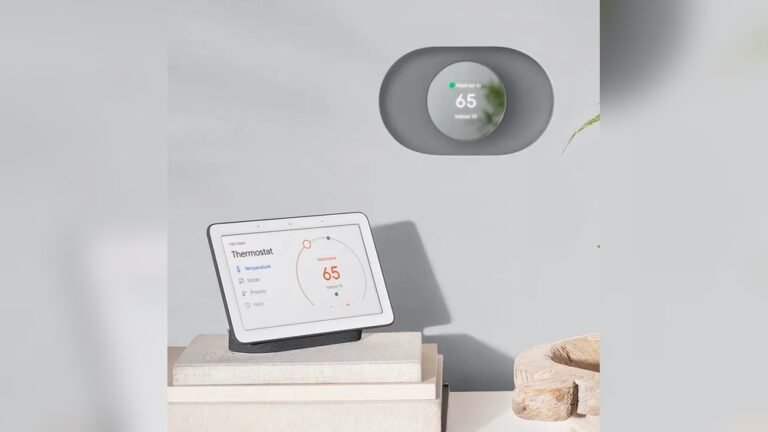
Smart security systems connect with other smart home devices. This integration allows control of lights, locks, and alarms from one app. Automation improves convenience and safety. For example, lights can turn on automatically when motion is detected. Voice assistant compatibility adds hands-free control options.
Maintaining Your System
Maintaining your smart security system ensures it works well and protects your home. Regular care keeps the system reliable and ready to respond. Simple steps help avoid problems and extend the life of your devices.
Regular Updates And Upgrades
Keep your system’s software up to date. Updates fix bugs and add new features. They improve security against cyber threats. Check for updates through the app or device settings. Schedule updates regularly to avoid missing important patches.
Upgrading hardware can boost performance. New sensors or cameras may offer better detection. Review your system yearly and replace outdated parts. This keeps your home protected with the latest technology.
Battery And Power Management
Check batteries often, especially in wireless devices. Low batteries cause false alarms or device failure. Replace batteries before they run out completely. Use high-quality batteries for longer life.
Ensure power sources are stable. Backup batteries or generators help during outages. Test backup systems to confirm they work properly. Proper power management keeps your system active all the time.
Troubleshooting Common Issues
Identify common problems like connectivity loss or sensor errors. Restart devices to fix minor glitches. Check Wi-Fi strength and move routers closer if needed.
Consult the user manual or app for error codes and solutions. Contact customer support if problems persist. Quick troubleshooting reduces downtime and keeps your home secure.
Choosing The Best System For Your Home
Choosing the best smart security system for your home requires careful thought. A good system fits your lifestyle and meets your safety needs. It protects your family and property without causing hassle. Consider key factors before making a decision. This helps find a system that works well for you.
Assessing Your Security Needs
Start by identifying what you want to protect. Think about your home’s size and layout. Note any vulnerable points like doors and windows. Decide if you need cameras, alarms, or motion sensors. Consider if remote monitoring is important for you. Prioritize features that match your daily routine and risks.
Evaluating Compatibility
Check if the system works with your current devices. Look for compatibility with smartphones and smart home gadgets. Make sure it supports your Wi-Fi network and apps. A system that integrates well is easier to use. It also allows future upgrades without extra costs.
Budget Considerations
Set a clear budget for your security system. Include costs for installation, equipment, and monthly fees. Balance between affordable options and quality features. Avoid very cheap systems that may lack reliability. A good system offers value and long-term protection.
Credit: smarthomeworks.com.au
Credit: psiborg.in
Frequently Asked Questions
What Is The Best Smart Home Security System?
The best smart home security system depends on your needs. ADT offers professional monitoring. SimpliSafe deters intruders. Vivint excels in home automation. Cove provides affordable DIY options. Frontpoint has top customer service. Brinks integrates well with smart homes.
How Much Does A Smart Home Security System Cost?
Smart home security systems typically cost between $100 and $400 for equipment. Monthly monitoring fees range from $10 to $50. DIY options often have lower upfront costs and no contracts. Prices vary by brand, features, and installation type. Choose based on your budget and security needs.
What Is The Best Security System Without A Monthly Fee?
The best security systems without monthly fees include SimpliSafe, Ring Alarm, Abode, and Arlo. They offer flexible, DIY setups and smart home features.
How Much Is Adt A Month Per Month?
ADT monitoring costs typically range from $28 to $60 per month, depending on the chosen plan and services.
Conclusion
Choosing a smart security system enhances home safety and peace of mind. These systems offer easy control and real-time alerts. They fit various budgets and needs, making security accessible. Installation is often simple, allowing quick setup without hassle. Protect your home with technology that works day and night.
Stay connected and secure with a smart security system today.